Discover clean crew how to remove stains effectively in Roblox. Get the latest tips on mastering equipment, handling hazards, and clearing rooms fast.
Published: Clean Crew Wiki Editorial Team
Table of Contents
Mastering Roblox Clean Crew How to Remove Stains
Navigating the chaotic cleanup missions in Roblox can feel overwhelming, especially when unexpected hazards start swarming your character. If you have been searching for clean crew how to remove stains efficiently, you are not alone in facing this messy challenge. Understanding the precise mechanics of your gear and environmental items is vital because a single misplaced whip can trigger aggressive enemy reactions and ruin your run.
For official updates and game access, you can check out the Clean Crew Roblox Game Page developed by CleanCrew. Whether you are scrubbing down tough floors or hunting for hidden vending machines, mastering clean crew how to remove stains separates casual cleaners from elite professionals. Let us dive into the essential strategies, equipment choices, and community-proven tactics to keep your workspace spotless and safe.
Essential Equipment and Tool Selection
Choosing the right gear for the job dictates how quickly you can clear a level. According to player experience, different tools offer unique advantages when dealing with stubborn messes and unexpected room layouts. The blaster, for instance, serves as an exceptional tool for heavy-duty cleanup tasks due to its powerful vacuum mechanism.
Tool Name
Primary Function
Ideal Situation
Community Feedback
Blaster Vacuum
Suction and clearing
Dominos room and debris
Best for avoiding accidental entity triggers
Tune Box
Audio distraction
Interacting with NPCs/Bendy
Excellent for unique easter egg interactions
Crowbar
Unlocking doors
Advancing to upper floors
Randomized spawns require thorough searching
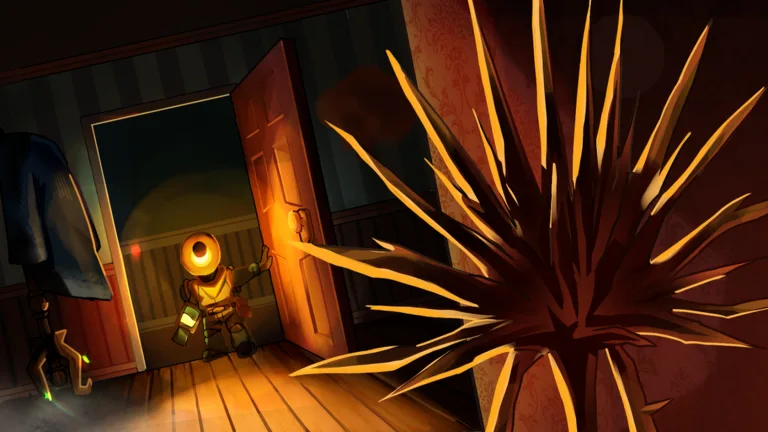
When using the blaster, your technique matters immensely. As highlighted in community reports, players should hold the vacuum steady rather than whipping it wildly across delicate environmental items. Hitting specific objects directly can cause them to come alive, swarm, and attack your character relentlessly.
Step-by-Step Guide to Hazard Management
Equip the Blaster: Select your vacuum tool and ensure you are facing walls or ceilings rather than fragile objects when adjusting your aim.
Clear the Area Carefully: Vacuum up loose debris slowly, keeping a close eye on your task notifications to ensure no hidden spots are missed.
Locate the Crowbar: Search upper and lower apartments systematically, keeping in mind that spawn locations change dynamically per round.
Access Locked Rooms: Listen closely for audio cues indicating nearby vending machines or hidden loot behind locked doors.
Managing hazards effectively prevents unnecessary damage and saves valuable time during high-pressure cleanup operations. Below is a breakdown of common environmental challenges and how to handle them safely.
Dominos Room Hazard
The Dominos room contains reactive elements that will swarm players if disturbed. Always use the blaster vacuum carefully, pointing away from the tiles to clean the space safely without triggering hostile mobs.
Vending Machine Hunt
Vending machines and loot locations require a crowbar to access. Because item placements are randomized, community reports advise checking multiple rooms thoroughly instead of relying on fixed spawn points.
Advanced Strategies for Faster Room Completion
Speed and precision are the hallmarks of an expert player in this Roblox experience. Missing even a single speck of dirt can delay your progression to the next floor. Based on community insights, many players often miss subtle cleanup requirements because the game lacks an active percentage progress bar on screen.
Tip
Always perform a final sweep around room corners and behind large furniture before assuming a floor is completely finished. Double-checking your surroundings prevents frustrating delays when waiting for floor transition notifications.
Utilizing environmental items creatively can also alter gameplay pacing. For example, placing a tune box near specific characters like Bendy triggers unique animations. While these interactions do not directly assist with stain removal, they add an entertaining layer to your cleanup sessions.
Frequently Asked Questions
How do I master clean crew how to remove stains without triggering enemies?
To master clean crew how to remove stains safely, use your blaster vacuum with controlled precision. Avoid whipping the tool directly at reactive room objects like Dominos; instead, face walls or open spaces to vacuum debris without angering hostile entities.
Where can I find the crowbar needed to progress?
According to player experience, crowbar spawns are completely randomized across apartments and floors. You will typically need to search upper levels thoroughly, as they rarely appear on the ground floor.
What should I do if a room cleanup notification does not pop up?
If the transition notification fails to appear, perform a meticulous final check of the corners and edges of the room. It is very common to miss a single remaining piece of dirt or debris.